 FlipbookIQ
Flipbook maker for PDF, Word and PowerPoint
Flipbooks that replace the PDF attachment.
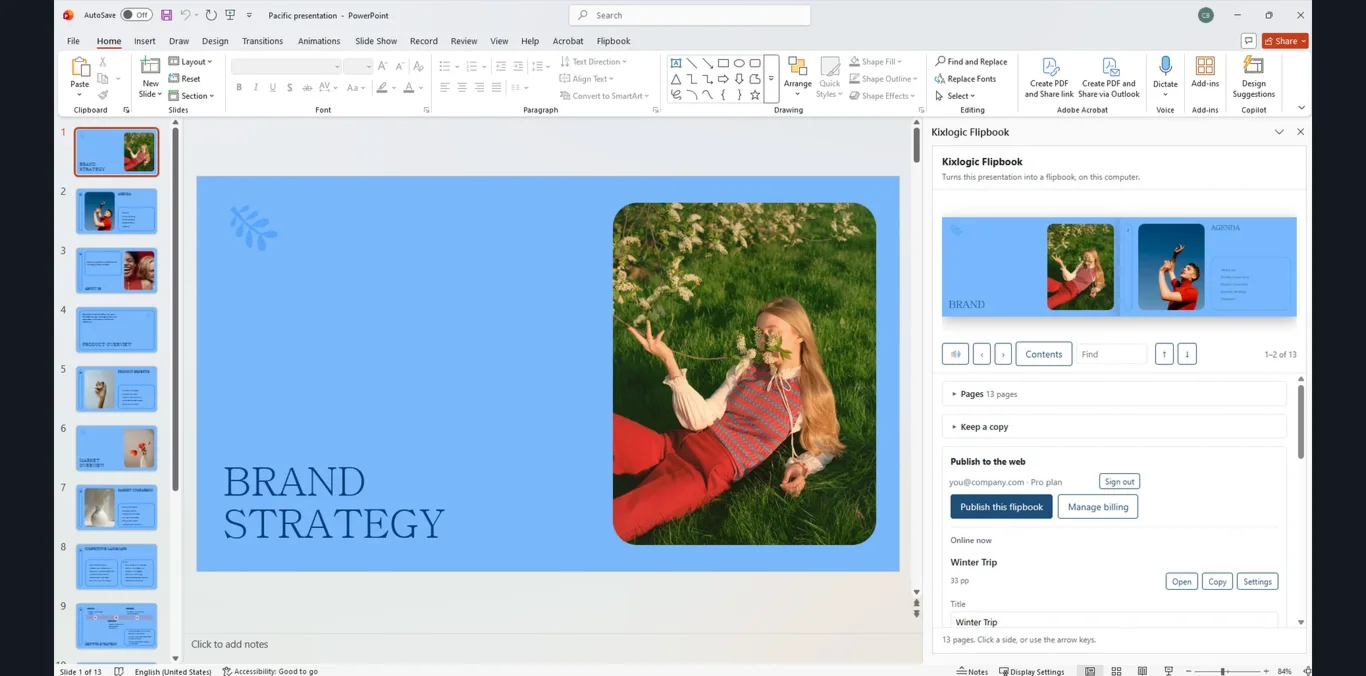
Turn a PDF, Word document or PowerPoint into a flipbook people actually page through. Share one link, update it whenever you like, and everyone sees the latest version.
Free to start · No card · Your file never leaves your computer
Three ways to make one
Start with the file you already have
Everything you make lands in the same Studio, under the same account, at the same kind of link.
In your browser
Open the Studio, sign in with your email and drop in a PDF. Your browser renders the pages and you have a flipbook in about a minute. No download and no Office needed.
Open the Studio →In Word
Open a document, choose Make a flipbook, and publish from the pane. The add-in is free. Word on Windows renders the pages itself; on Mac and the web it signs you in and opens the Studio.
Get the add-in →In PowerPoint
The same button on your slides, on Windows, Mac and the web. Every slide becomes a page, and publishing again keeps the same link.
Get the add-in →Update after sending
Send it once. Change it whenever you like.
A PDF you emailed last month is out of date the moment something changes. A FlipbookIQ link is not.
- Edit the document and publish again. The same link and the same printed QR code show the new pages.
- Readers see when it was last updated, right on the page.
- Anyone who has it open is offered a “Show the latest” button the moment you publish.
- Prefer a file? Every flipbook still offers a searchable PDF.
What you get
Everything a flipbook should do
A real page turn
Pages turn like pages, on a phone or a laptop, with a single page on a small screen and a spread on a large one. Zoom, full screen and page-turn sound included.
Search and contents
Readers can search the text and open a table of contents built from your headings. Links in your document stay clickable.
The Studio
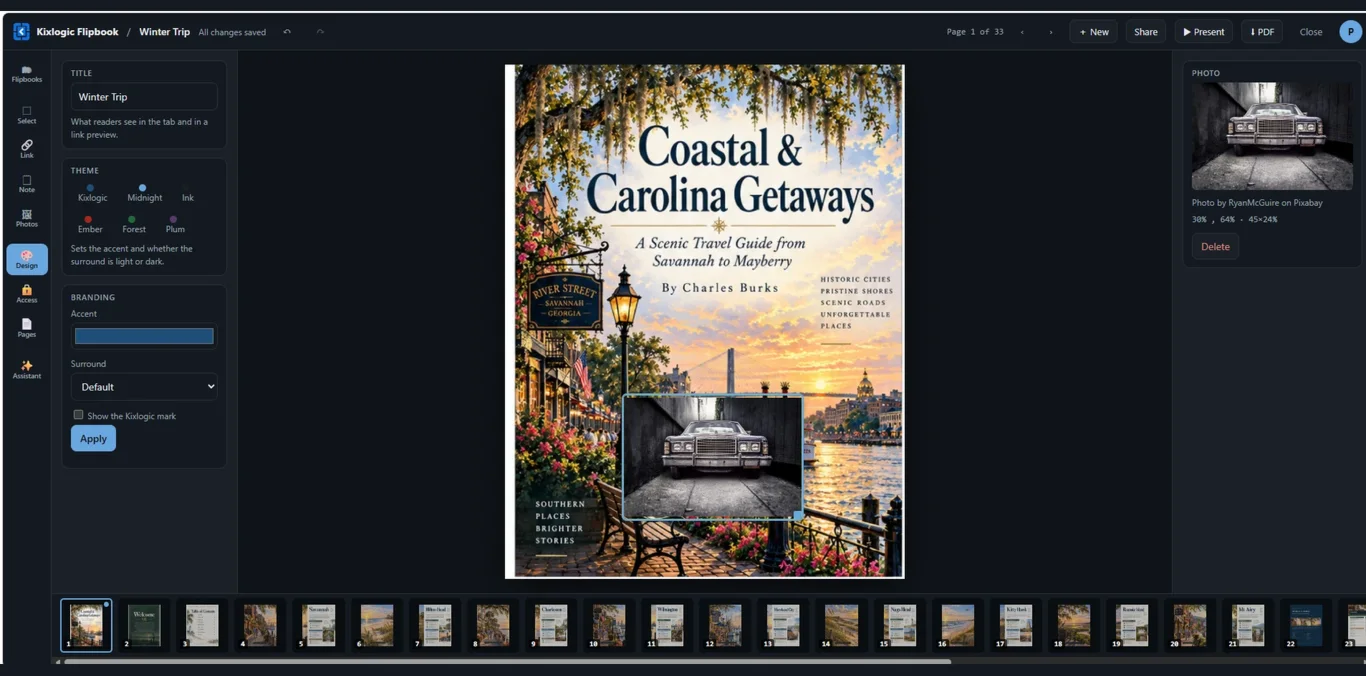
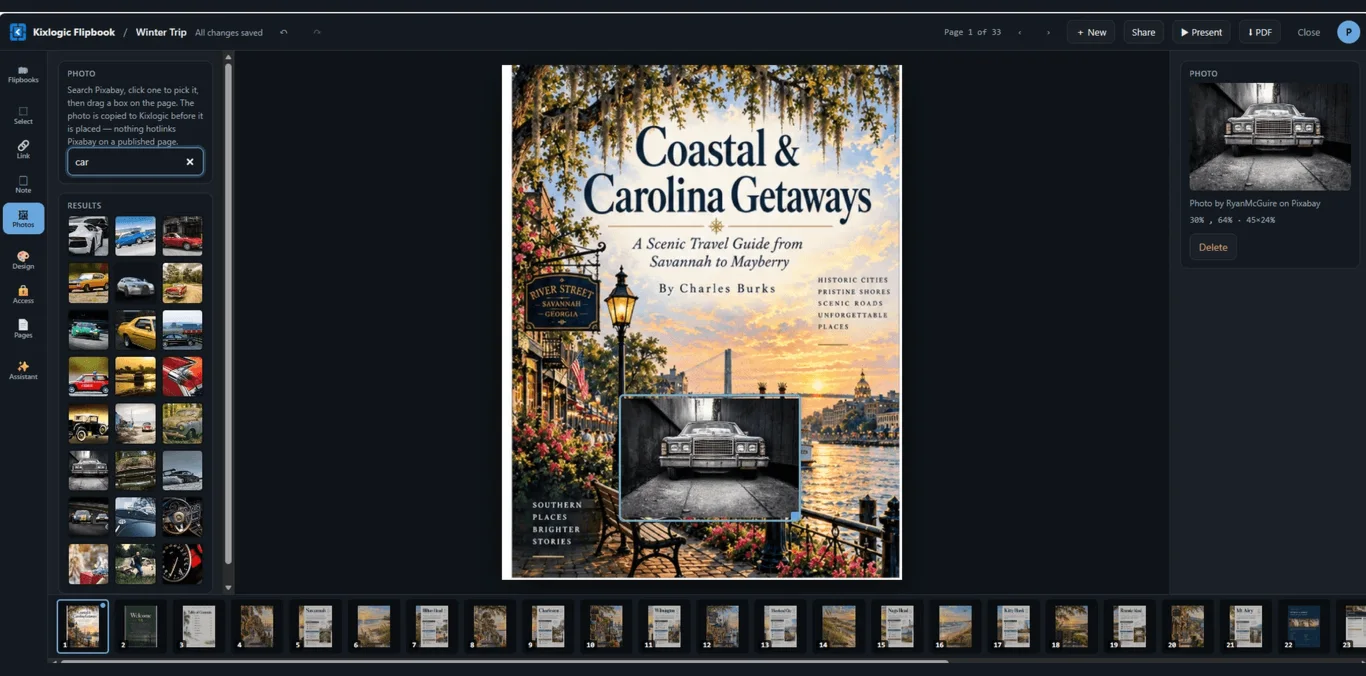
Add links, text, notes and free photos to any page. Put text over printed words to change a price or a date. Play a YouTube or Vimeo video, or your own file, right on the page.
Ask this flipbook
Switch on a question box and readers can ask things like “What is the return policy?” An AI answers from your pages and shows where it found it. Click “Page 14” and the book turns there.
Read to me
Record your own voice for a page, and readers can press Listen and hear it, with hands-free “next page” if they want it.
Your own address
Serve your flipbooks from a domain of your own, like books.yourbrand.com, with a bookshelf of the ones you choose to list.
Control who reads it
Add a password or an end date, ask for an email first and download the list, and put your own logo and colors on it.
Starter templates
Six ready-made starting points: restaurant and café menus, a product catalog, a company brochure, an event program and a newsletter.
Browse the templates →Share it every way
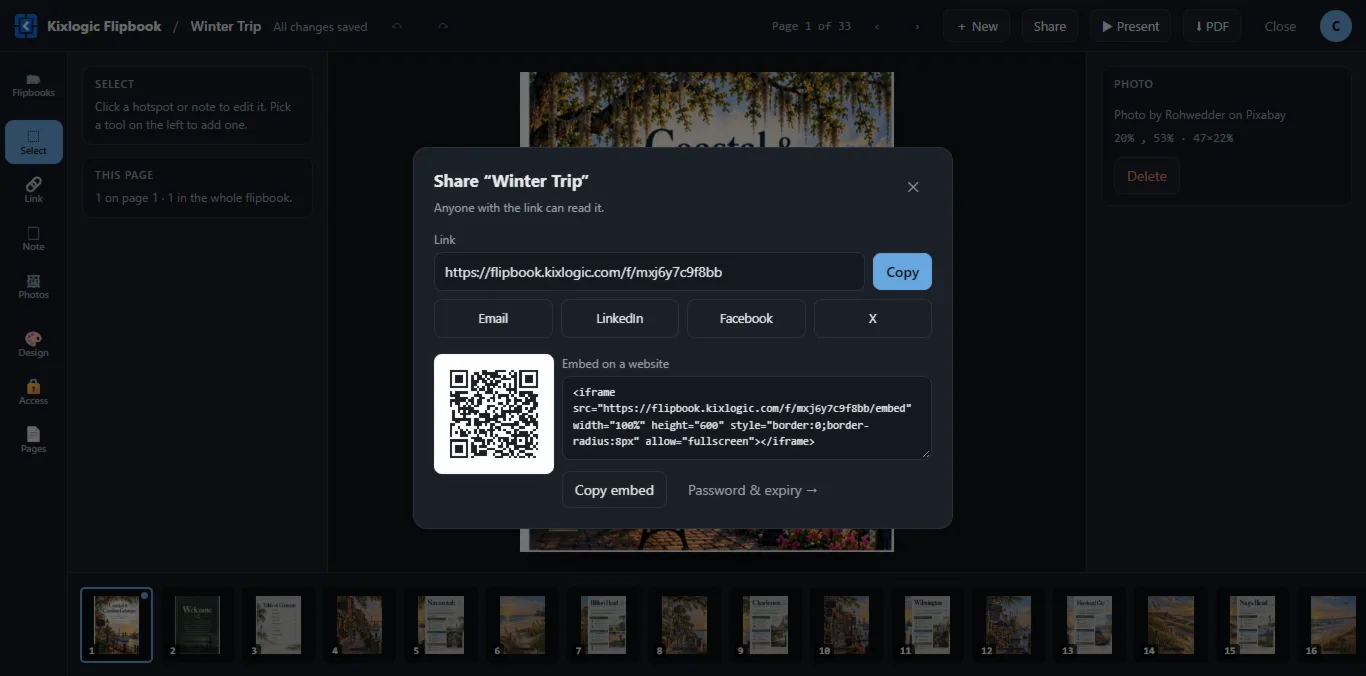
A link, a QR code, an embed for your website, a searchable PDF, and a saved copy that works with no internet.
More than a flipbook
Tools for the whole document, not just the page turn
A flipbook is where a document lives. These are the things around it that save you time.
Read it with no internet
Readers tap Save offline and the flipbook opens with no signal: on a plane, on a shop floor, in a basement. Nothing is saved unless they ask.
A QR code on every page
Print one QR code per page. Each opens the live flipbook on that exact page, so a printed catalog never goes out of date.
Check before you share
Finds placeholder text, dates that have passed, the same price shown two ways, hard-to-read writing and links that no longer work, and points at the page.
Reader feedback
Readers flag a page as confusing, out of date or wrong, with a note. Reports go to a private inbox for you, nowhere else.
Read & acknowledge
Ask readers to confirm they read the handbook or policy. You get a record of who confirmed which version, ready for a spreadsheet.
Anonymous page attention
See which pages get read and for how long, as anonymous totals. Off until you switch it on, and hidden until ten visits so nobody can be picked out.
Privacy by design
Built around your file staying yours
We keep the data we collect to what the product needs, and we say exactly what that is.
Why we do it this wayYour file stays on your computer
Pages are rendered on your machine. Only the finished page images are uploaded, never the PDF, .docx or .pptx.
Readers are not tracked
We count views per flipbook per hour and store nothing about who read it. No ad cookies. No fingerprints.
See it
Real screens from the product
Pricing
Free to make. Pay only to keep them online.
Converting happens on your computer and costs us nothing, so it is unlimited on every plan. The plans are about what happens after you publish.
Free
For trying it out and one-off documents.
- Six starter templates
- Make and save unlimited flipbooks on your computer
- 1 flipbook online at a time
- Up to 20 pages
- Kept for 14 days
- Searchable PDF, offline copy and QR codes
- Up to 40 MB per publish
- Marked “Made with FlipbookIQ”
Pro
For one person or a small business who needs flipbooks to stay online.
- Everything in Free
- Unlimited flipbooks, kept until you remove them
- Up to 200 pages each
- Your own link name, a password and an end date
- Edit after publishing
- Remove the FlipbookIQ mark, add your logo and colors
- Ask this flipbook: AI answers from your pages
- Upload video and audio (2 GB)
- Email gate and reader list, feedback and acknowledgments
- View counts and anonymous page attention
- Your own domain for $9 a month
Business
For teams: 10 seats minimum.
- Everything in Pro
- Up to 500 pages each
- Your own domain (up to 3)
- Upload video and audio (20 GB)
- Up to 1 GB per publish
- 500 Studio Assistant messages a month
Questions
The short answers
Do I need Word or PowerPoint?
No. Open the Studio in your browser, sign in with your email, and drop in a PDF. If you do work in Word or PowerPoint, there is a free add-in for both that makes the same flipbooks in the same account.
Is my document uploaded?
No. Pages are rendered on your own computer, in your browser or in Office. When you publish, only the finished page images are uploaded, never the PDF, Word or PowerPoint file.
What do my readers need?
A web browser, on a phone or a computer. They do not need an account, an app or a plug-in.
Can readers still get a PDF?
Yes. Every flipbook offers a searchable PDF and a saved copy that opens with no internet, and you can switch either off for a flipbook if you would rather readers stayed on the page.
Do you track my readers?
No. We count views per flipbook per hour and store nothing about who read it. If you switch on page attention, you see which pages are read and for how long as anonymous totals, and only after ten visits so nobody can be picked out of the numbers.
What happens when I update the document?
Publish again and the same link, and the same printed QR code, show the new pages. Readers see when it was last updated, and anyone who has it open is offered a refresh.
What does the free plan include?
One flipbook online at a time, up to 20 pages, kept for 14 days, marked "Made with FlipbookIQ". Making flipbooks and saving copies on your own computer is unlimited on every plan.
Can I cancel?
Yes, any time, from the billing page in the Studio. There is no contract.
Make your first flipbook in a minute
Free to start. No card, no download, no password: just your email.