
How to Turn a School Newsletter into a Flipbook Everyone Will Read
A plain, friendly guide for teachers and trainers on turning a PDF or Word newsletter into a shareable flipbook.
The problem with sending a PDF newsletter
You spend real time putting together a school newsletter — event dates, class updates, photos, links to forms — and then you attach it to an email. Some parents open the attachment. Many do not. On a phone, a multi-page PDF can be fiddly to scroll through, and it is easy to miss the thing you most wanted people to see. There is a simpler way to share it that does not require anyone to download anything.
What a flipbook actually is
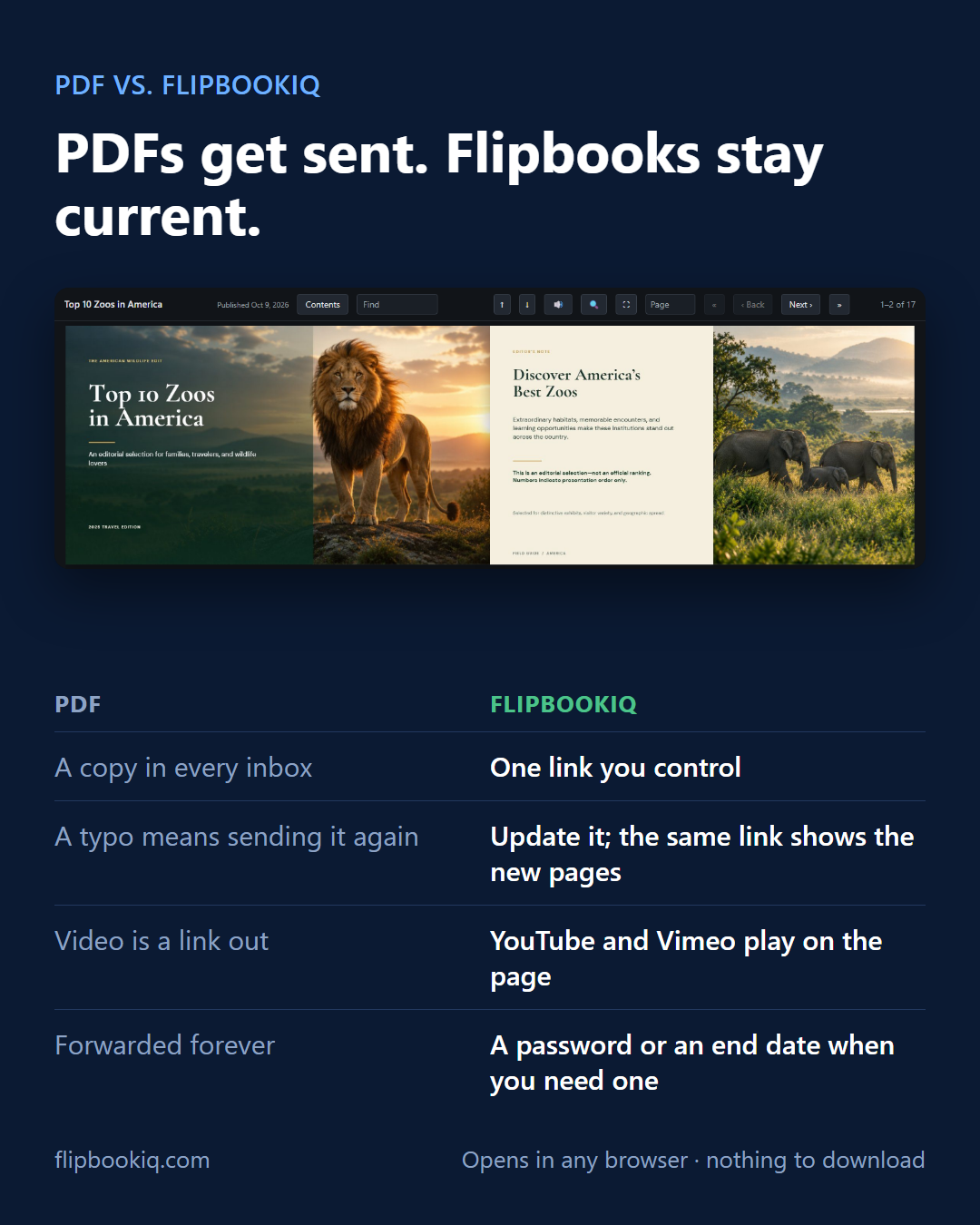
A flipbook is a page-turning version of your document that lives at a web link. Readers click through it the way they would a magazine, on any phone or laptop, in any browser, with nothing to install. FlipbookIQ turns a PDF, a Word document, a PowerPoint deck or a spreadsheet into exactly this kind of flipbook, shared with one link.
Any links you put inside the document stay clickable in the flipbook. If you have included a YouTube or Vimeo link — say, a recording of the school play — it plays right on the page. Readers can also search the text and jump around using a table of contents, which is handy for longer newsletters with several sections.
How to make your newsletter into a flipbook, step by step
1. Prepare your document as normal. Finish your newsletter in Word, Google Docs (export as PDF), or whatever you use. Make sure any links you want to stay active are properly formatted.
2. Upload it to FlipbookIQ. Go to flipbookiq.com, upload your file, and FlipbookIQ converts it into a flipbook. You get one link to share.
3. Decide on access settings. If your newsletter contains anything you would rather keep within the school community, you can add a password. You can also set an end date so the flipbook stops being accessible after a certain point — useful if you only want this term's newsletter visible for this term.
4. Share it your way. Copy the link and paste it into your school's email, your messaging app, or your learning platform. If you have a school noticeboard or a website, you can embed the flipbook there or print a QR code that parents can scan. Readers do not need an account, and they are not tracked — FlipbookIQ does not use cookies or build profiles about who read what, which is worth knowing when you are sharing with families.
5. Update without resending. Spotted a typo after you sent it? Need to add a date that changed? You can update the flipbook and the same link shows the new pages. Anyone who has the link open at that moment will see a "Show the latest" notice so they know something has changed. You do not need to send a new link.
A few practical tips for teachers and trainers
- Keep newsletters to 20 pages or fewer if you are on the free plan, which lets you create one flipbook kept for 14 days. That is usually plenty for a monthly newsletter.
- Use clear headings in your original document. They help readers navigate using the table of contents.
- Add a YouTube link if your school records assemblies, performances or tutorial videos. Parents and students can watch without leaving the newsletter.
- Offer an offline copy. Readers can save a copy of the flipbook to read offline, so families without a reliable connection are not left out.
If you produce newsletters regularly, paid plans start at 19 USD a month for up to 50 flipbooks (Pro), 24.99 USD a month for up to 100 (Pro+), or 29.99 USD per seat a month with a minimum of five seats (Business). There is also a Word and PowerPoint add-in if you prefer to publish directly from those apps.
If you have not tried it yet, start with the free plan and see how it works for your next newsletter — flipbookiq.com.
Make your first flipbook
Free to start. No card, no download: just your email.